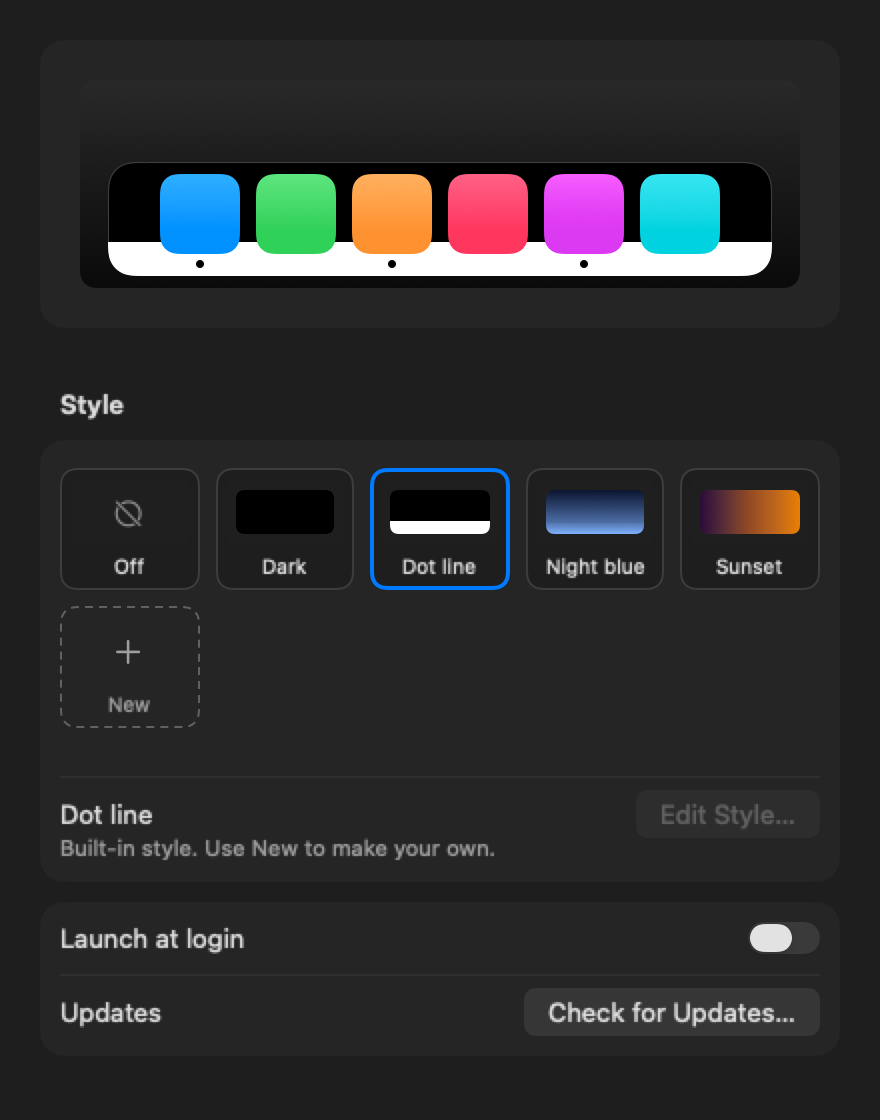
On a dark wallpaper, the little dots under your running apps simply vanish. pm7-DockBackground puts a color behind your Dock, exactly where it sits, so you see at a glance what is open.
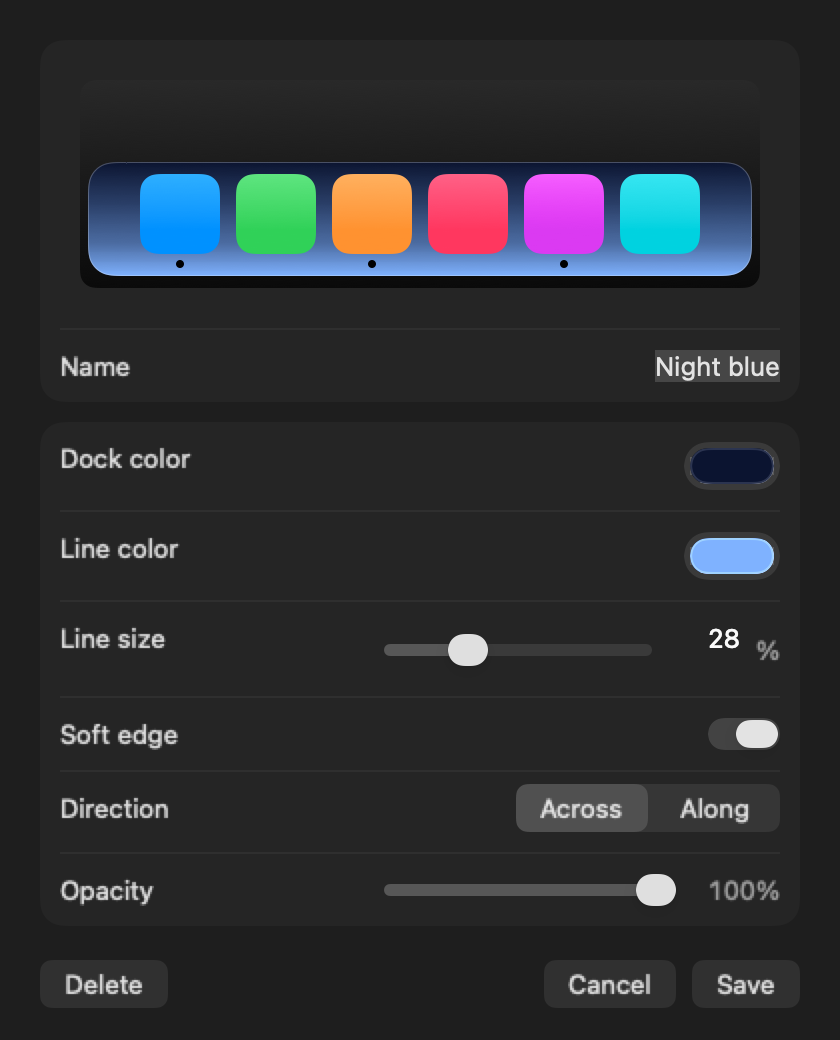
Download for MacPick a style or make your own. This is exactly what you can set in the app, and the app shows it live behind your real Dock while you edit.
It does one thing, and it does it precisely.
The color sits right behind the Dock's glass, with the same rounded corners. It grows and shrinks as apps come and go.
The built-in Dot line style puts a light line right behind the black running-app dots. One click, and they are back.
Make up to six styles of your own: Dock color, line color and size, a soft or hard edge, the direction and the opacity. Switch with one click.
Clicks go straight through to the Dock. The color stays below the Dock and above your windows, and hides when the Dock hides.
No Dock icon, no clutter. Turn it on or off, or open Settings, from a small menu bar icon.
Signed with a Developer ID and notarized by Apple. New versions install themselves in the background.
A live preview, your styles as tiles, and nothing else to learn.


Unzip, move pm7-DockBackground to Applications and open it. A Dock icon appears in your menu bar.
macOS asks once. The app uses it only to read where your Dock is and how big it is.
Choose Dot line to see your running apps again, or make a style of your own.
macOS has no other way to tell an app where the Dock is. pm7-DockBackground reads the position and size of the Dock, and nothing else. It does not read your screen, your keystrokes or your windows.
No. It draws a window just below the Dock. Quit the app and everything is exactly as before.
Yes. The color follows the Dock wherever it is. With "Across", the line always sits along the screen edge, right behind the dots.
When the Dock hides, the color hides with it.
No. It is a small native app that checks the Dock a few times per second, and only moves its window when the Dock changes.
Quit it from the menu bar icon and move the app to the Trash. If you turned on Launch at login, turn that off first in Settings.